AI Text Polishing for Dictation
Dictation is fastest when you can speak naturally. OpenTypeless turns rough speech into cleaner paragraphs, emails, prompts, notes, and documentation before you insert the final text.
OpenTypeless AI text polishing takes a raw transcript and rewrites it into clearer text while preserving the user intent. It is useful for dictated emails, docs, prompts, Slack updates, code comments, and notes where raw speech would be too messy to paste directly.
Reviewed against OpenTypeless SEO expansion research on 2026-06-30.
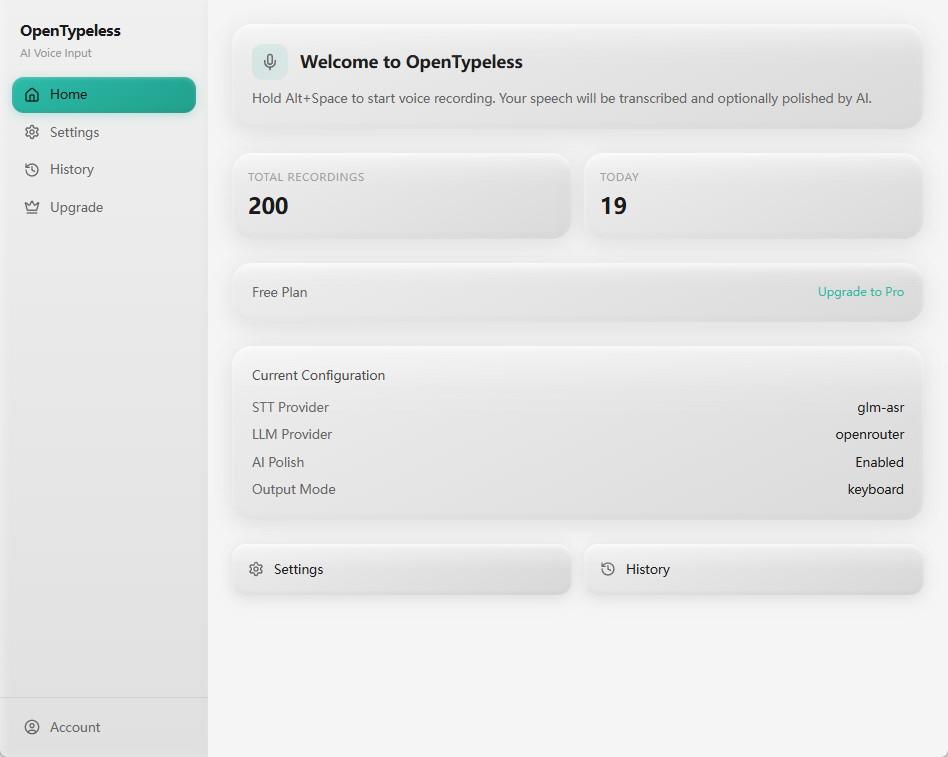
How to decide
Choose based on the job, not only the keyword.
Speak naturally
Use filler words and rough phrasing while thinking, then let the polishing step clean the output.
Tune by provider
Different LLM providers can produce different tone, latency, and cost profiles for polishing.
Keep context small
Polishing should improve the current transcript, not invent unsupported facts or replace careful review.
Product-specific details
Each section is written around a distinct user job so the page does not become a thin keyword variant.
Where polishing helps most
Raw speech often contains restarts, repeated phrases, missing punctuation, and informal structure. Polishing is useful when the output needs to become an email, prompt, documentation block, or clear note.
The feature is especially useful for long-form writing because users can keep momentum while speaking and review the final text before insertion.
A good review flow still matters. The user should scan names, numbers, code identifiers, and any sensitive wording before sending the polished result, because the product is meant to assist writing rather than replace judgment.
How this differs from generic dictation
Generic dictation usually returns a raw transcript. OpenTypeless is built around a workflow: capture speech, transcribe, polish, review, and insert into the current desktop app.
That distinction matters for SEO and for users because the product solves the messy middle between speech recognition and usable writing.
Cost and provider clarity
Hosted LLM polishing can consume cloud entitlement or provider credits. BYOK setups shift cost and limits to the user provider account.
The page links to pricing and provider docs so users do not treat AI polishing as unlimited hidden usage.
For heavier writing sessions, users should review provider routing and cloud-word balance before relying on polishing for every transcript.
Raw dictation vs AI polishing
Choose the workflow based on how finished the output needs to be.
| Decision point | Option | What to know |
|---|---|---|
| Short phrases | Raw dictation | Often enough for brief commands, names, or small edits. |
| AI polishing | Usually unnecessary unless tone or formatting matters. | |
| Long writing | Raw dictation | Fast but often messy and repetitive. |
| AI polishing | Better for emails, docs, prompts, notes, and polished replies. | |
| Sensitive work | Hosted polishing | Convenient but should be counted as cloud or provider usage. |
| BYOK/local paths | Better when provider control, privacy, or cost visibility matters. |
Use AI polishing in a dictation workflow
Start with a raw transcript, then clean it before it reaches the target app.
Record the thought
Trigger OpenTypeless and speak the email, prompt, note, or explanation naturally.
Transcribe the audio
Use the configured STT provider to turn speech into a raw transcript.
Apply polishing
Let the LLM rewrite the transcript for punctuation, tone, structure, and clarity.
Review and insert
Check the final text before inserting it into the current app.
FAQ
Short answers for users comparing tools and workflows.
Does AI polishing change my meaning?
It should preserve intent while improving clarity. Users should review important text before sending or publishing it.
Does polishing use an LLM?
Yes. Hosted polishing should count as LLM usage, while BYOK usage depends on the user provider account.
Can I polish code comments and prompts?
Yes. It is useful for code comments, PR notes, debugging prompts, docs, and long AI instructions.
Is this the same as Ask Anything?
No. AI polishing improves dictated text for insertion. Ask Anything sends one spoken question to a model and shows the answer.
Related pages
Continue through the strongest internal-link path.
Download OpenTypeless
Install the desktop voice input app.
OpenTypeless features
Review voice input, polishing, BYOK, and Ask Anything.
Provider setup docs
Configure STT and LLM providers for polishing.
Pricing and cloud words
Understand hosted usage, BYOK, Pro, and Lifetime.
Voice dictation for ChatGPT
Use polishing to clean longer AI prompts.
Try the desktop voice input workflow
Start with the default setup, then tune providers, shortcuts, local mode, and Ask Anything as your workflow becomes clearer.