Best Wispr Flow Alternatives
Looking beyond Wispr Flow? Compare alternatives by platform support, provider control, local/privacy options, AI polishing, and one-off voice Q&A workflows.
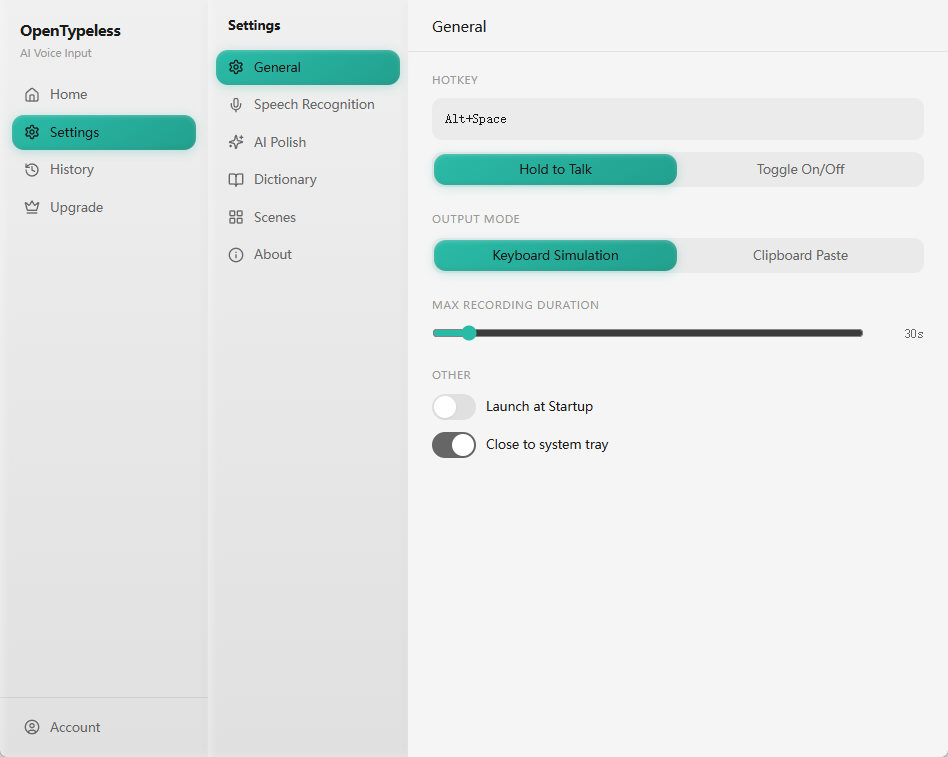
The best Wispr Flow alternative depends on the constraint that makes you switch. OpenTypeless is relevant when open-source code, Linux support, and a choice between managed Cloud, BYOK, or a self-hosted Whisper-compatible endpoint matter. Review each candidate’s current device and workflow documentation, then test the same representative tasks.
GSC and competitor research was reviewed on 2026-06-30; Wispr Flow plans, platforms, privacy controls, and OpenTypeless setup paths were rechecked on 2026-07-21. No controlled accuracy or latency winner is claimed.
How to decide
Choose based on the job, not only the keyword.
Managed vs controllable
Wispr Flow is attractive when users want a polished hosted product. OpenTypeless is attractive when users want to inspect, configure, and route more of the workflow themselves.
Platform coverage
Switching intent often comes from operating-system fit. Test every required system before assuming any voice tool fits every machine.
AI workflow shape
Ask Anything, AI polishing, and BYOK are different jobs. Compare candidates against the specific job users repeat every day.
Best-fit options
Use these cards as starting points, then read the linked comparison or setup page for more detail.
OpenTypeless
Best when you want Windows, macOS, and Linux support, BYOK provider control, AI text polishing, custom vocabulary, and Ask Anything voice Q&A.
Typeless
A polished managed option with desktop and mobile apps. It is most relevant when cross-device convenience matters more than source access or provider control.
SuperWhisper
A strong fit for many macOS users. OpenTypeless is stronger when cross-platform support and open-source control matter.
OpenWhispr
A cross-platform open-source candidate for users comparing local models, cloud providers, and a different product workflow from OpenTypeless.
Product-specific details
Each section is written around a distinct user job so the page does not become a thin keyword variant.
Why people compare managed voice productivity tools
Wispr Flow has strong awareness around polished voice productivity. The comparison becomes meaningful when a user wants a different ownership model, more provider control, open-source visibility, or broader desktop-platform coverage.
This page does not claim Wispr Flow is bad. It gives switching criteria for users who already know the category and are deciding whether managed convenience or configurable control matters more.
Where OpenTypeless is different
OpenTypeless focuses on the desktop voice-input loop: trigger recording, transcribe, optionally polish, insert text, or ask one focused voice question through Ask Anything.
The product story is strongest for users who care about BYOK, provider-specific routing, custom vocabulary, and seeing how hosted cloud usage is counted. Its local speech route connects to a Whisper-compatible endpoint the user already runs; Ollama is a separate local LLM option for polishing.
How to avoid a bad switch
Do not switch based only on a feature checklist. Test the exact microphone, language, app, shortcut, and provider route you expect to use daily.
If a hosted commercial product already solves the user’s workflow, the better SEO answer is honest comparison rather than a forced migration pitch.
Managed voice tools decision table
Start from the switching reason, then pick the product class.
| Decision point | Option | What to know |
|---|---|---|
| Prefer managed polish | Likely fit | Wispr Flow or another closed commercial product. |
| Watch for | Whether the hosted plan, app coverage, and privacy model fit heavy daily use. | |
| Prefer open-source control | Likely fit | OpenTypeless. |
| Watch for | Provider setup, BYOK credentials, and how much configuration the user is willing to own. | |
| Need quick AI answers | Likely fit | OpenTypeless Ask Anything. |
| Watch for | Hosted STT and LLM usage, because voice Q&A is not cost-free at scale. |
Compare managed voice tools safely
Use a practical test plan before replacing a daily voice workflow.
List the switching reason
Write down whether the issue is platform support, provider choice, pricing, privacy, vocabulary, or AI workflow.
Test the same task
Try one email, one AI prompt, one note, and one Ask Anything-style question in each candidate.
Check usage math
Compare hosted limits, BYOK costs, and whether STT or LLM calls count against plan entitlement.
Keep the winner narrow
Choose the tool that wins the tasks you repeat, not the longest public feature list.
FAQ
Short answers for users comparing tools and workflows.
Is OpenTypeless a Wispr Flow clone?
No. OpenTypeless is an open-source desktop voice input workflow with BYOK/provider control, AI polishing, and Ask Anything. The overlap is voice productivity, but the operating model is different.
Why would someone leave a managed product?
Common reasons include platform coverage, provider choice, cost visibility, open-source preference, custom vocabulary, or wanting a local/private route.
Should I request indexing for every Wispr-related page?
No. Only reviewed, distinct pages should be indexable. Thin variants should stay noindex until GSC data and owner review support them.
Does Ask Anything replace dictation?
No. Dictation creates text for insertion. Ask Anything records one spoken question and returns a floating answer note.
Related pages
Continue through the strongest internal-link path.
Download OpenTypeless
Try the configurable open-source workflow.
Focused switching guide
Read the detailed managed-product comparison.
Ask Anything by voice
See one-off voice Q&A in OpenTypeless.
BYOK voice dictation
Understand provider-controlled usage.
Pricing and cloud words
Review hosted usage before heavy daily use.
Try the desktop voice input workflow
Start with the default setup, then tune providers, shortcuts, local mode, and Ask Anything as your workflow becomes clearer.