Best Voice Input Tools for Cursor
The best Cursor voice input tool depends on whether you need simple dictation, long AI coding prompts, provider control, or quick voice Q&A while coding.
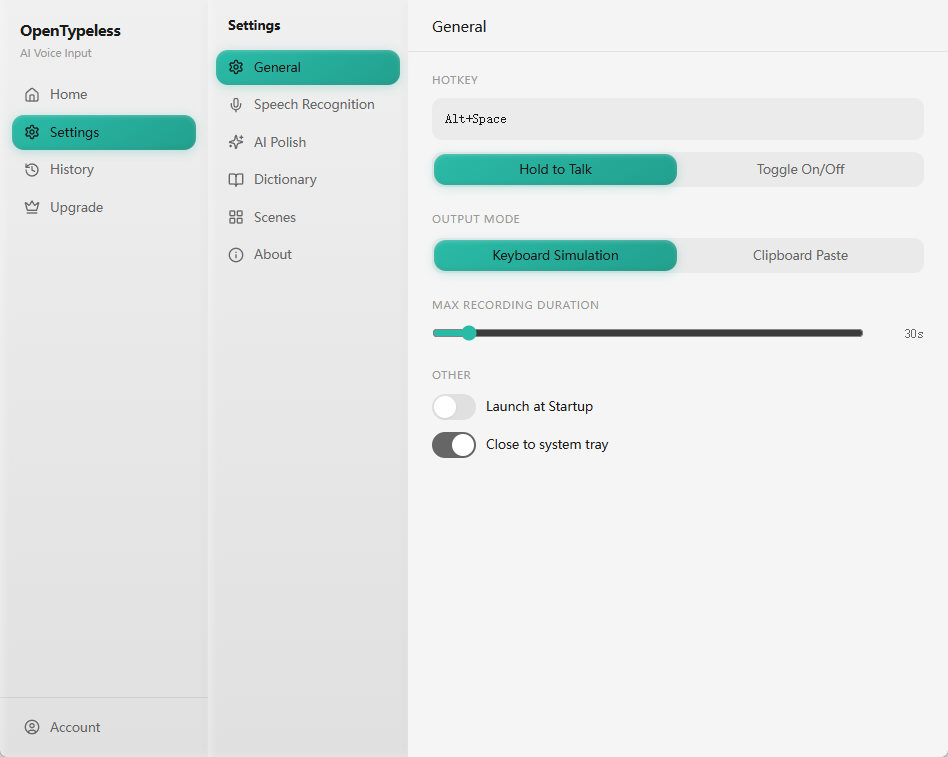
For Cursor, prioritize tools that handle long prompts, debugging context, technical vocabulary, fast cleanup, and insertion into the current workflow. OpenTypeless is strongest when open-source control, BYOK, Ask Anything, and cross-platform support matter.
Reviewed with competitor sitemap and Semrush/GSC research on 2026-06-30.
How to decide
Choose based on the job, not only the keyword.
Developer context
A Cursor voice tool must handle bug context, refactor intent, file names, commands, PR notes, and test descriptions.
Vocabulary pressure
Technical terms make provider choice and custom vocabulary more important than they are for ordinary email dictation.
Review before code changes
The safest workflow prepares a prompt for Cursor, then lets the developer review it before asking AI to edit code.
Best-fit options
Use these cards as starting points, then read the linked comparison or setup page for more detail.
OpenTypeless
Best when you want to dictate AI coding prompts, bug context, PR notes, and Ask Anything questions with BYOK provider control.
Wispr Flow
A polished managed option for many productivity workflows. Compare carefully if open-source control or Linux support matters.
Product-specific details
Each section is written around a distinct user job so the page does not become a thin keyword variant.
What makes a Cursor voice input tool different
Cursor prompts are not normal prose. They often mix product context, stack names, failing behavior, acceptance criteria, and a desired code-change style.
A useful voice tool should help capture that development context quickly without pretending raw speech is safe enough to run as a code-changing instruction.
Why OpenTypeless fits developer prompts
OpenTypeless is useful when the spoken input needs cleanup before it becomes a Cursor prompt. It can support AI polishing, custom vocabulary, provider routing, and Ask Anything checks.
Ask Anything is especially helpful before writing a prompt: ask what an error means, how to phrase a PR comment, or what debugging step is safer next.
How to compare tools without fake rankings
The right test is not a generic “hello world” sentence. Try a failing test explanation, a CLI error, a refactor request, a README paragraph, and a review comment.
The winning tool should make technical speech easier to review, not hide uncertainty behind an overconfident ranking table.
Cursor voice tool decision table
Match the tool to the developer task, not only the phrase “voice input.”
| Decision point | Option | What to know |
|---|---|---|
| Short comments | Good enough | Built-in or generic dictation may work. |
| Risk | Technical words can still need manual correction. | |
| Long AI prompts | Better fit | OpenTypeless with polishing and provider control. |
| Risk | The developer must review the prompt before Cursor acts. | |
| Quick debugging questions | Better fit | Ask Anything for a one-off answer. |
| Risk | Use the answer as guidance, not as unreviewed code output. |
Evaluate Cursor voice tools
Test the prompts developers actually write before choosing a daily workflow.
Pick a real coding task
Use an issue, failing test, refactor, or PR comment from normal work.
Speak the whole context
Include the current behavior, expected behavior, constraints, and target files if needed.
Check technical words
Review framework names, commands, package names, and internal terms before pasting.
Ask Cursor deliberately
Only send the prompt once it describes the task clearly enough for code changes.
FAQ
Short answers for users comparing tools and workflows.
What should a Cursor voice input tool handle?
Bug reports, refactor goals, test descriptions, review comments, command explanations, README drafts, and longer AI coding prompts.
Is raw dictation enough for coding?
Sometimes for short comments. For long prompts, technical vocabulary and AI cleanup matter more.
Does OpenTypeless modify code directly?
No. It prepares text around the workflow. The developer decides what to paste into Cursor and when to ask Cursor to act.
Why include Ask Anything in this roundup?
Developers often need a quick explanation before writing a full prompt. Ask Anything serves that one-off voice question job.
Related pages
Continue through the strongest internal-link path.
Download OpenTypeless
Try the developer voice input workflow.
Voice input for Cursor
Read the focused Cursor workflow page.
Ask Anything by voice
Ask quick developer questions before writing prompts.
BYOK voice dictation
Control provider routing for coding workflows.
Voice workflows for developers
Use voice for prompts, docs, issues, and reviews.
Try the desktop voice input workflow
Start with the default setup, then tune providers, shortcuts, local mode, and Ask Anything as your workflow becomes clearer.