Open-source dictation app for people who want control
OpenTypeless is a free, open-source desktop dictation app for Windows, macOS, and Linux. Bring your own providers, run local options when needed, and keep the workflow transparent.
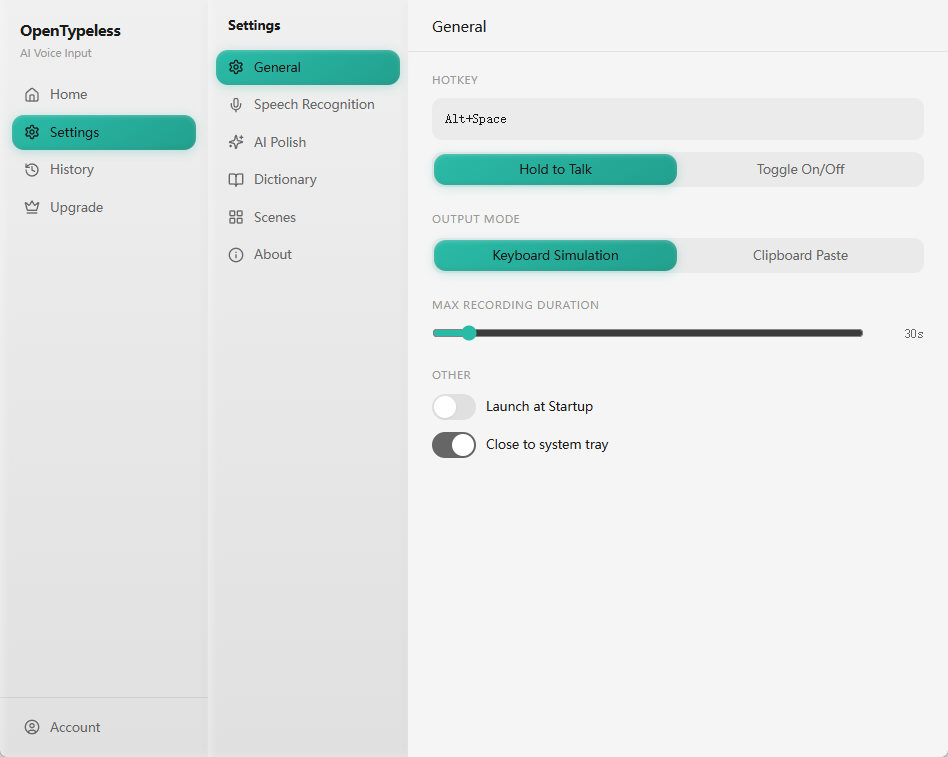
Open source matters more when voice input touches private text
Dictation tools can see drafts, messages, notes, code comments, customer replies, and sometimes sensitive work. A closed tool may be convenient, but users have fewer ways to understand the data path or change providers.
OpenTypeless is designed around user choice. You can inspect the project, configure providers, switch between cloud and local modes, and keep the application workflow independent from one vendor.
What open source does and does not solve
Open source is valuable, but the real product still has to be usable.
The app behavior can be inspected
Users and contributors can review how the app is built, how providers are configured, and how the workflow evolves.
You are not locked into one provider
Cloud providers are useful, but the app should not force one pricing model, one accuracy profile, or one privacy posture.
Local speech-to-text still needs hardware
Local STT and LLMs are powerful, but they may require downloads, memory, and patience. The app should make that tradeoff clear.
A practical open-source dictation setup
Start with the simplest working path, then move sensitive workflows local if needed.
Install OpenTypeless
Download the build for your operating system or inspect the source repository first.
Choose a provider path
Use cloud STT for speed and easy setup, or configure local STT when privacy and control matter more.
Configure AI polishing
Pick a cloud or local LLM provider to clean up transcripts before insertion.
Review the workflow
Test microphone permission, hotkey behavior, text insertion, history, and provider fallback with your real writing apps.
Open-source dictation app vs closed dictation tools
The tradeoff is usually control and transparency versus the convenience of one managed service.
| Need | Default path | OpenTypeless path |
|---|---|---|
| Source visibility | Closed implementation | Public source and issue-driven roadmap |
| Provider choice | Usually one vendor stack | Multiple STT and LLM providers, including local options |
| Cost model | Subscription or bundled usage | Free app with bring-your-own-key and local paths |
| Customization | Limited to product settings | Custom dictionary, prompts, providers, and contributor changes |
| Privacy posture | Depends on vendor policy | Can be configured for local STT and local AI polishing |
Good open-source dictation still needs product details
The page should attract users who care about the source, but the app must still solve everyday friction.
Settings are explicit
Provider keys, model choices, and behavior should be visible to the user instead of hidden behind a single black box.
History is recoverable
Recent outputs can be reviewed when insertion fails or when a user wants to reuse a previous polished transcript.
Prompts can be adapted
Users can tune polishing behavior for emails, technical notes, customer replies, and multilingual writing.
The roadmap is auditable
Issues and pull requests reveal what the community is finding, fixing, and prioritizing.
FAQ
Short answers for users comparing tools.
Is OpenTypeless fully open source?
OpenTypeless is distributed as an open-source desktop app. Check the GitHub repository for the current license, source, releases, issues, and pull requests.
Does open source mean my transcription is local?
Not automatically. Open source means the app can be inspected and modified. Whether audio or text stays local depends on which STT and LLM providers you configure.
Can I bring my own API keys?
Yes. OpenTypeless is designed around provider configuration, so users can bring their own cloud keys or use supported local providers.
Who is this best for?
It is best for users who want desktop voice input plus transparency, provider choice, customization, and a path toward local processing.
Related guides
Useful next pages for the same search journey.
Try the desktop voice input workflow
Start with the default setup, then tune providers, prompts, shortcuts, and local mode as your workflow becomes clearer.