A Whisper GUI for people who want to dictate, not manage scripts
Whisper is excellent speech recognition technology. OpenTypeless turns Whisper-style transcription into a desktop voice input workflow with a GUI, global hotkey, optional local mode, AI polishing, and text insertion.
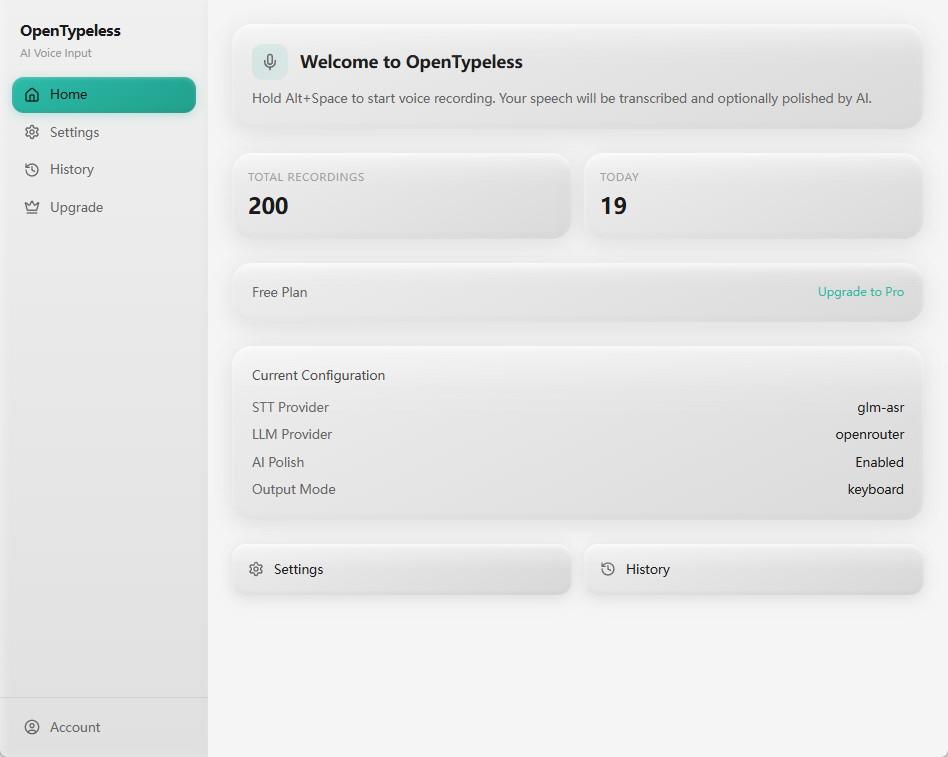
Whisper is a model. Daily dictation needs a workflow.
Many people search for a Whisper GUI because the raw model or API is not enough for daily writing. They do not want to run a Python command, copy JSON, or manually move transcript text into another app.
OpenTypeless focuses on the end-to-end job: capture speech, transcribe it with a Whisper-compatible or alternative STT provider, polish the text, and insert it where the cursor already is.
Which kind of Whisper GUI do you need?
Batch transcription tools and live dictation tools solve different jobs.
You process recordings after the fact
Podcast, meeting, interview, and subtitle workflows often need file upload, timestamps, speaker labels, and export formats.
You want to speak into current apps
Desktop dictation needs a shortcut, fast feedback, text insertion, and post-processing that makes the text immediately usable.
You want more than one STT engine
Whisper is strong, but provider choice matters for latency, language, price, rate limits, and offline setups.
How to use Whisper-style dictation in OpenTypeless
Start simple, then decide whether local Whisper is worth the setup for your machine.
Install the desktop app
Download OpenTypeless for your operating system and open the main app.
Pick a Whisper-compatible provider
Use OpenAI Whisper, Groq Whisper, or a local Ollama-backed setup depending on speed, cost, and privacy needs.
Enable AI polishing
Turn raw transcript text into a cleaner final version with punctuation, grammar, and tone improvements.
Use it where you write
Trigger the hotkey in your browser, document editor, code editor, email client, or chat app.
Raw Whisper vs OpenTypeless
The model solves speech recognition. The app solves the daily input loop around it.
| Need | Default path | OpenTypeless path |
|---|---|---|
| Interface | API, command line, or third-party wrappers | Desktop GUI with recording state, settings, history, and shortcuts |
| Text insertion | Usually copy and paste from output | Designed to insert polished text into the active app |
| Polishing | Raw transcript unless you build another step | Optional LLM cleanup built into the flow |
| Provider flexibility | One Whisper path at a time | Whisper plus other STT providers when latency or cost matters |
| Vocabulary help | Manual prompting or post-editing | Custom dictionary for repeated names and domain words |
What the GUI adds around Whisper
The value is not only recognition accuracy. It is the work saved after recognition.
Settings you can understand
Switch providers, configure keys, choose language behavior, and manage the input workflow without editing scripts.
History for recovery
A desktop history view helps recover recent transcription results when a target app loses focus or a paste fails.
Custom dictionary
Keep recurring terms consistent instead of correcting the same word again and again.
Local when needed
A local setup is available for users willing to configure Ollama and accept the hardware tradeoffs.
FAQ
Short answers for users comparing tools.
Is OpenTypeless an official OpenAI Whisper app?
No. OpenTypeless is an independent open-source desktop app that can work with Whisper-compatible providers and other STT engines.
Is this for audio files or live dictation?
OpenTypeless is primarily for desktop voice input and live dictation into other apps. File transcription tools may be better for long recordings, subtitles, or speaker-labeled transcripts.
Can Whisper run locally?
Yes, local speech-to-text can be configured through supported local providers such as Ollama. Performance depends on your machine and model choice.
Why not just use Whisper from the terminal?
Terminal workflows are fine for developers and batch tasks. Daily writing usually needs a hotkey, GUI, text insertion, settings, history, and cleanup.
Related guides
Useful next pages for the same search journey.
Try the desktop voice input workflow
Start with the default setup, then tune providers, prompts, shortcuts, and local mode as your workflow becomes clearer.