OpenWhispr Alternative
If you are comparing OpenWhispr alternatives, focus on platform support, source availability, provider choice, AI cleanup, cost control, and whether voice Q&A is part of your workflow.
Use this OpenWhispr alternative page when the question is switching, not side-by-side comparison. OpenTypeless is worth testing if the current blocker is provider control, platform fit, AI-polished insertion, BYOK cost visibility, or Ask Anything voice Q&A.
Reviewed against the SEO competitor audit, public competitor page structure, and OpenTypeless product positioning on 2026-06-30.
How to decide
Choose based on the job, not only the keyword.
Name the blocker
Switching only makes sense if the user can name the pain: platform coverage, provider control, cost clarity, privacy, vocabulary, or workflow shape.
Map the replacement job
OpenTypeless replaces a daily desktop voice-input workflow, not every possible AI chat or note-taking behavior.
Plan provider setup
BYOK and hosted cloud words should be checked before migration so heavy STT or LLM usage is not surprising.
Product-specific details
Each section is written around a distinct user job so the page does not become a thin keyword variant.
When OpenTypeless is a credible replacement
OpenTypeless is a credible OpenWhispr replacement when the user wants an open-source desktop app with configurable providers, AI text polishing, custom vocabulary, and one-off Ask Anything answers.
The page is migration-oriented: it asks what must change before a user replaces an existing workflow, instead of repeating the same side-by-side comparison table.
The safest switching path is gradual. Keep the current workflow available, test OpenTypeless on low-risk writing first, and only move heavier usage after permissions, provider routing, and quota expectations are clear.
What to test before switching
Test the exact tasks that made the user search for an alternative: one long dictation, one app insertion, one technical phrase, one polished rewrite, and one Ask Anything question.
If those tasks do not improve enough, the safer answer is to keep the current tool or wait for a narrower feature need.
How to migrate without overpromising
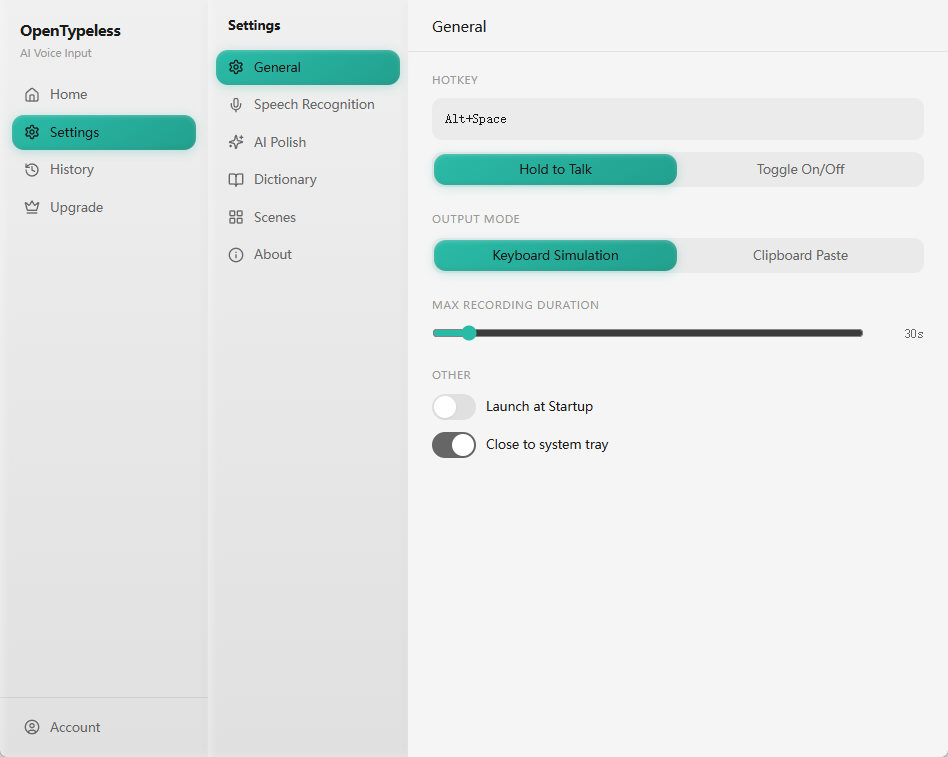
Start with download and permissions, then configure STT and LLM providers, then test usage on low-risk text before relying on it for daily work.
This page does not promise unlimited hosted usage. Cloud STT and LLM calls should follow the same entitlement and BYOK rules described on pricing and docs pages.
OpenWhispr alternative switching checklist
Use this checklist before replacing a daily voice workflow.
| Decision point | Option | What to know |
|---|---|---|
| Switch because of platform | Check | Does OpenTypeless cover the operating systems and permissions you need? |
| Risk | A workflow that works on one machine may need extra setup on another. | |
| Switch because of provider control | Check | Can BYOK or local/private routes support the cost and privacy profile you want? |
| Risk | Hosted STT and LLM usage can add up during heavy sessions. | |
| Switch because of Ask Anything | Check | Does one-off voice Q&A actually reduce context switching in your work? |
| Risk | Ask Anything should not be confused with long chat memory. |
Switch from OpenWhispr to OpenTypeless
Treat migration as a workflow test, not a marketing claim.
Download OpenTypeless
Install the desktop app and grant the required microphone and system permissions.
Configure providers
Choose hosted, BYOK, or local/private paths based on latency, privacy, and cost.
Recreate one task
Repeat the exact dictation or voice Q&A task that made you consider switching.
Review usage behavior
Confirm cloud words, STT calls, and LLM calls are counted the way you expect.
FAQ
Short answers for users comparing tools and workflows.
When should I switch from OpenWhispr?
Only when a real blocker exists: provider control, platform support, cost visibility, open-source preference, AI polishing, or Ask Anything.
What is the first migration step?
Download OpenTypeless, configure providers, and repeat one real task before moving more daily work over.
Does migration remove cloud usage costs?
No. Hosted STT and LLM usage still need clear entitlement or BYOK handling.
Is this page different from the vs page?
Yes. The vs page compares product fit side by side. This page focuses on switching criteria and migration checks.
Related pages
Continue through the strongest internal-link path.
Try the desktop voice input workflow
Start with the default setup, then tune providers, shortcuts, local mode, and Ask Anything as your workflow becomes clearer.