Best AI Dictation Apps
AI dictation apps should do more than transcribe speech. The useful workflow turns rough spoken thoughts into clean text, prompts, notes, or one-off AI answers.
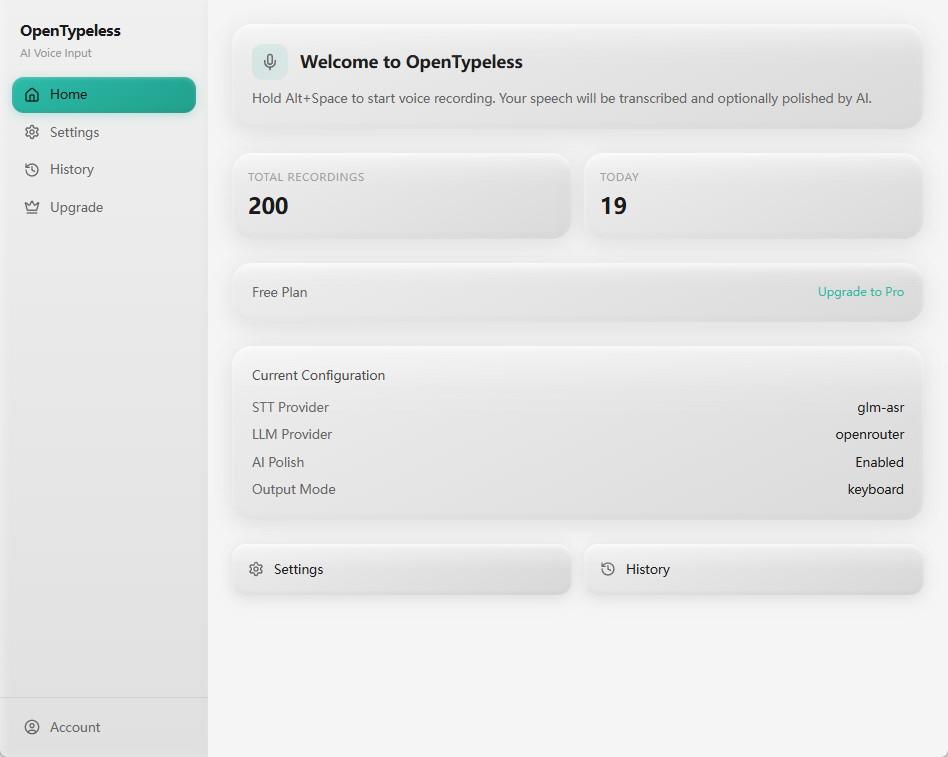
The best speech-to-text workflow depends on the job: raw voice-to-text, AI-polished writing, coding prompts, custom vocabulary, Ask Anything-style voice Q&A, and provider control. OpenTypeless is strongest for open-source desktop users who want those choices visible.
GSC and competitor research was reviewed on 2026-06-30; first-party AI dictation product and setup pages were rechecked on 2026-07-21. Rankings are scenario-based, not a controlled accuracy benchmark.
How to decide
Choose based on the job, not only the keyword.
Output quality
The key question is whether the app returns usable writing, not just whether it recognizes spoken words.
Cost visibility
AI dictation can involve STT and LLM usage, so quotas, BYOK, local options, and hosted limits should be visible.
Daily insertion
A desktop dictation app should make it easy to place polished text into the tool where the user is already working.
Best-fit options
Use these cards as starting points, then read the linked comparison or setup page for more detail.
OpenTypeless
Best when you want Windows, macOS, and Linux support, BYOK provider control, AI text polishing, custom vocabulary, and Ask Anything voice Q&A.
Wispr Flow
A strong commercial option for users who prefer a managed product and do not need OpenTypeless-style open-source control.
SuperWhisper
A strong fit for many macOS users. OpenTypeless is stronger when cross-platform support and open-source control matter.
Typeless
A relevant managed option for users who value cross-device voice typing, in-place AI actions, and a product-run provider stack.
Product-specific details
Each section is written around a distinct user job so the page does not become a thin keyword variant.
How the shortlist was reviewed
This roundup uses first-party product pages and setup documentation available on July 21, 2026. It compares product fit, platform coverage, provider ownership, local versus cloud paths, output workflow, and plan clarity instead of assigning unsupported accuracy scores.
A product can appear here without being declared universally better. The useful result is a smaller test set for a specific job: managed cross-device dictation, developer prompts, open-source control, local models, or AI-polished desktop insertion.
What “AI dictation” should mean
AI dictation is more than speech recognition. The product should capture a rough thought, turn it into text, clean structure and punctuation, and help the user place the result in an email, document, prompt, issue, or note.
That is why this page does not target broad upload transcription or text-to-speech searches. Those jobs need different products and would create weak-fit SEO pages.
Where OpenTypeless fits the category
OpenTypeless is strongest for users who want desktop hotkeys, provider control, AI polishing, custom vocabulary, history, and Ask Anything in one workflow.
It is not trying to be a call-center suite, a browser-only upload transcriber, or a read-aloud tool. The page stays tied to product capabilities that exist in the desktop app.
How to test voice AI tools
Use a realistic sample: one messy email, one long prompt, one technical note, one short command, and one voice question. Check how much editing remains after each run.
Also review whether hosted STT and LLM calls count against the plan. Heavy users can burn through hidden usage quickly if the pricing page is vague.
Desktop voice AI decision table
Choose by output and usage model, not by a generic AI label.
| Decision point | Option | What to know |
|---|---|---|
| Raw transcription | Best for | Capturing simple spoken text with minimal transformation. |
| Watch for | Messy long-form speech often needs manual cleanup. | |
| AI-polished writing | Best for | Emails, docs, prompts, issue text, and notes that need clear structure. |
| Watch for | LLM usage and whether the rewrite preserves meaning. | |
| Voice Q&A | Best for | One spoken question with an answer-only result. |
| Watch for | This is Ask Anything-style interaction, not chat history. |
Evaluate desktop voice AI tools
Use repeatable tests that reflect real writing, not polished demo phrases.
Choose five real samples
Test an email, note, prompt, technical paragraph, and one-off question.
Measure cleanup effort
Count how much punctuation, structure, and wording you still need to fix manually.
Check provider limits
Separate STT usage from LLM polishing and confirm whether BYOK or local options exist.
Test insertion flow
Make sure the final text lands in the apps where daily work actually happens.
FAQ
Short answers for users comparing tools and workflows.
What counts as AI-powered dictation?
It turns speech into usable text and may use AI to clean structure, tone, punctuation, prompts, or one-off question answers.
Should AI dictation be unlimited?
No public page should imply that hosted STT or LLM usage is unlimited unless the product truly provides that. Usage and BYOK behavior should be explicit.
Is OpenTypeless for upload transcription?
No. OpenTypeless is focused on desktop voice input, polished insertion, provider choice, and Ask Anything workflows.
How is Ask Anything different from dictation?
Dictation creates text to insert. Ask Anything sends one spoken question to a model and shows the answer.
Related pages
Continue through the strongest internal-link path.
Download OpenTypeless
Try desktop AI dictation.
AI text polishing
Turn rough speech into cleaner writing.
Ask Anything by voice
Use one-off voice questions when insertion is not the goal.
Pricing and cloud words
Understand hosted STT and LLM usage.
OpenTypeless features
Review dictation, polishing, BYOK, custom vocabulary, and history.
Try the desktop voice input workflow
Start with the default setup, then tune providers, shortcuts, local mode, and Ask Anything as your workflow becomes clearer.