Qwen3 ASR Realtime Voice Typing: Beijing vs Singapore Setup
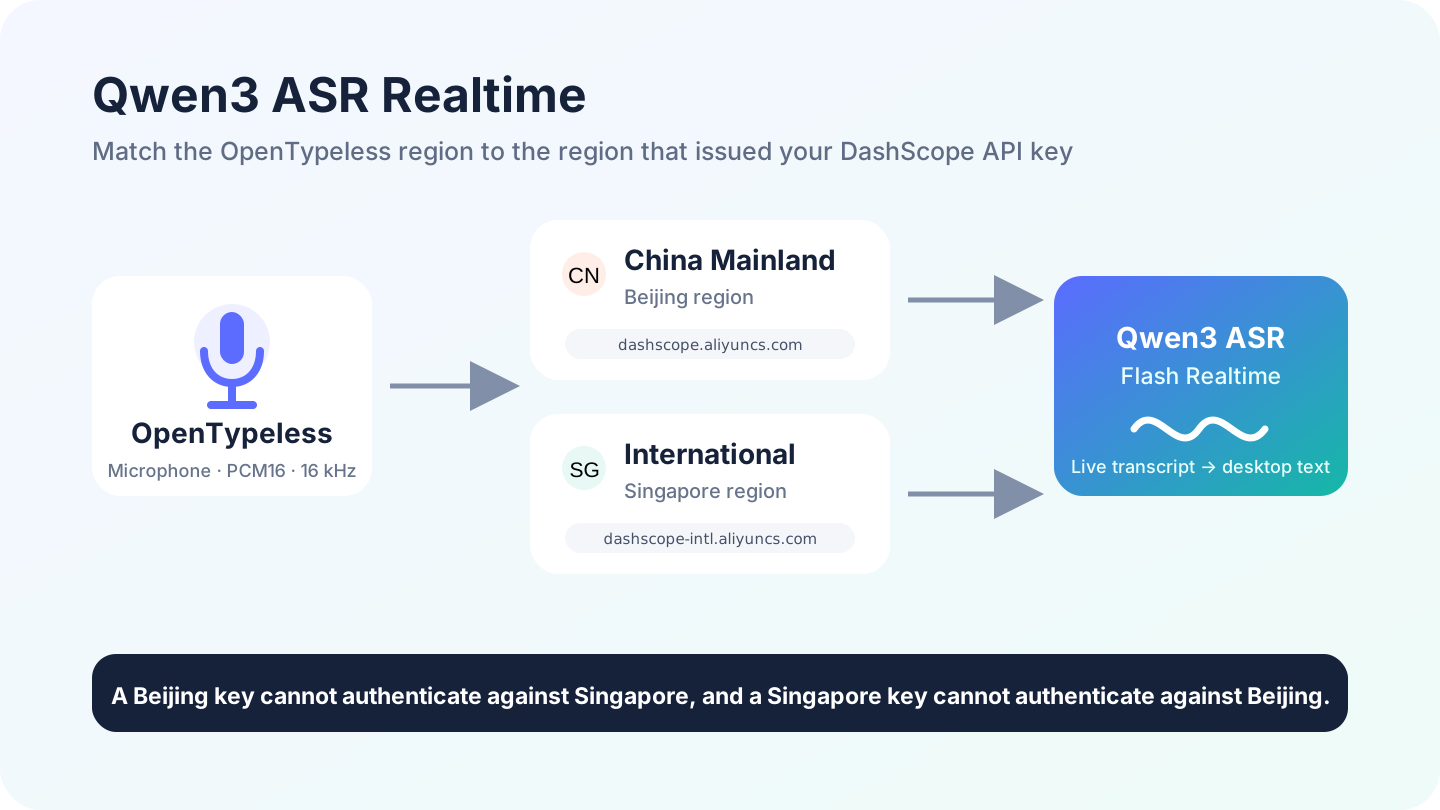
OpenTypeless v1.1.53 adds Qwen3 ASR Flash Realtime as a bring-your-own-key speech-to-text provider. The important setup detail is regional: a DashScope API key belongs to the region where it was created, so OpenTypeless now lets you choose China Mainland (Beijing) or International (Singapore) before connecting.
What the Qwen3 ASR Integration Actually Does
When Qwen3 ASR is selected, the desktop app captures microphone audio, converts it to PCM16 mono at 16 kHz, and streams it through a WebSocket connection to the selected DashScope region. Partial and final transcripts then continue through the same OpenTypeless polishing and text-insertion workflow used by other STT providers.
Beijing or Singapore: Which Region Should You Choose?
- Choose China Mainland (Beijing) when your DashScope API key was created in the Beijing region.
- Choose International (Singapore) when your API key was created in the Singapore region.
- Do not choose only by physical distance: the selected endpoint must match the API key region.
- If both regions are available to your account, test each with its own key and keep the one that fits your location, account, and data requirements.
Regional Realtime Endpoints
OpenTypeless selects one of these documented generic regional endpoints. The model query parameter is required.Set Up Qwen3 ASR in OpenTypeless
- Create or identify a DashScope API key and confirm whether it belongs to Beijing or Singapore.
- Open OpenTypeless Settings and go to Speech Recognition.
- Select Qwen3-ASR (Aliyun) as the provider.
- Choose China Mainland (Beijing) or International (Singapore).
- Paste the matching API key and run the built-in connection test.
- Record a short, representative phrase in the language mix you use every day.
The Current Realtime WebSocket Lifecycle
Qwen3 ASR Realtime uses session events rather than the older run-task and finish-task flow used by other DashScope speech models. OpenTypeless starts with session.update, streams chunks with input_audio_buffer.append, and ends the recording with session.finish so the provider can return the final transcript.
The simplified event sequence is:Latency: What Region Selection Changes
OpenTypeless does not probe both regions or retry a request against the other region. That avoids duplicate requests and extra delay on the normal path. Choosing a nearby, account-correct region can reduce avoidable network travel, but actual latency still depends on your connection, Alibaba Cloud service conditions, audio length, and the later text-polishing provider.
macOS, Windows, and Linux
The Qwen3 WebSocket protocol is the same on macOS, Windows, and Linux. Platform differences remain at the desktop edges: microphone permissions, global shortcuts, and how text is inserted into the active app. Adding regional Qwen endpoints does not change the existing TalkMore cloud route or the other STT providers on any operating system.
Troubleshooting Authentication and Connection Errors
- For 401 or authorization errors, check the selected region first.
- Confirm the API key is active and has access to Qwen3-ASR Realtime.
- Make sure the model is qwen3-asr-flash-realtime, not an older Paraformer task configuration.
- If the connection drops, test a short recording and check local firewall or proxy rules.
- If you use an Alibaba Cloud Workspace-specific domain, note that OpenTypeless v1.1.53 currently uses the generic regional endpoint and does not ask for a Workspace ID.