Typeless vs SuperWhisper vs OpenTypeless
Compare three approaches to AI voice typing: official commercial tools, Mac-focused Whisper-style workflows, and open-source cross-platform control.
SuperWhisper is strongest for users who want a polished Mac-focused Whisper-style workflow. Typeless is a separate commercial voice typing product. OpenTypeless is the better fit when you need open-source code, Windows or Linux support, Whisper-compatible paths alongside other STT providers, BYOK LLM polishing, and local/private configuration options.
OpenTypeless is not affiliated with Typeless or SuperWhisper. This page compares independent products and explains when OpenTypeless is a useful open-source alternative.
Choose by the job you need done
SuperWhisper is strongest for users who want a polished Mac-focused Whisper-style workflow. Typeless is a separate commercial voice typing product. OpenTypeless is the better fit when you need open-source code, Windows or Linux support, Whisper-compatible paths alongside other STT providers, BYOK LLM polishing, and local/private configuration options.
Choose Typeless for the official product
If you specifically want Typeless, use the official Typeless website for current product details and downloads.
Choose SuperWhisper for Mac-first Whisper flow
Review SuperWhisper's current platform documentation and evaluate its workflow on the operating systems you use.
Choose OpenTypeless for cross-platform control
OpenTypeless is built for users who need Windows, Linux, open source code, BYOK providers, and optional local/private paths.
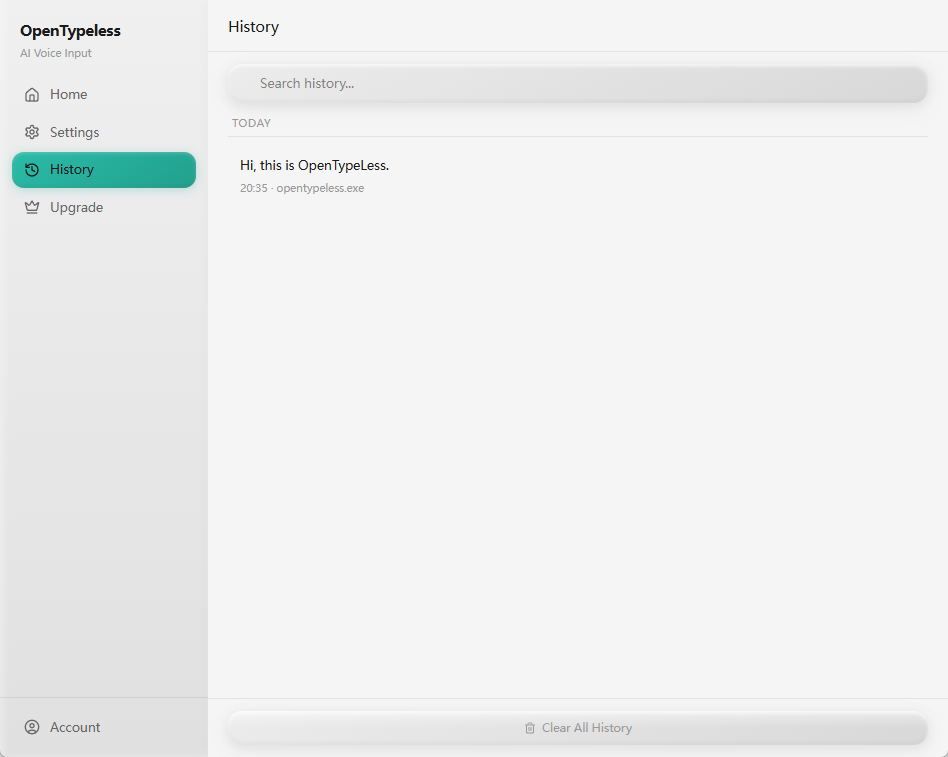
Real OpenTypeless workflow
Generated visuals can explain an idea, but product proof should stay close to the app UI.
How the tools differ
Typeless, SuperWhisper, and OpenTypeless all address voice-to-text workflows, but they make different bets around platform, provider control, and source access.
OpenTypeless is best evaluated as the open workflow layer: hotkey capture, configurable STT, LLM cleanup, custom vocabulary, history, and insertion into your active app.
When Whisper compatibility matters
Users who search SuperWhisper comparisons often care about Whisper-style transcription, local options, or reliable speech recognition for long-form dictation.
OpenTypeless can sit around Whisper-compatible paths while still supporting other STT providers and AI polishing providers, so the workflow is not locked to one model family.
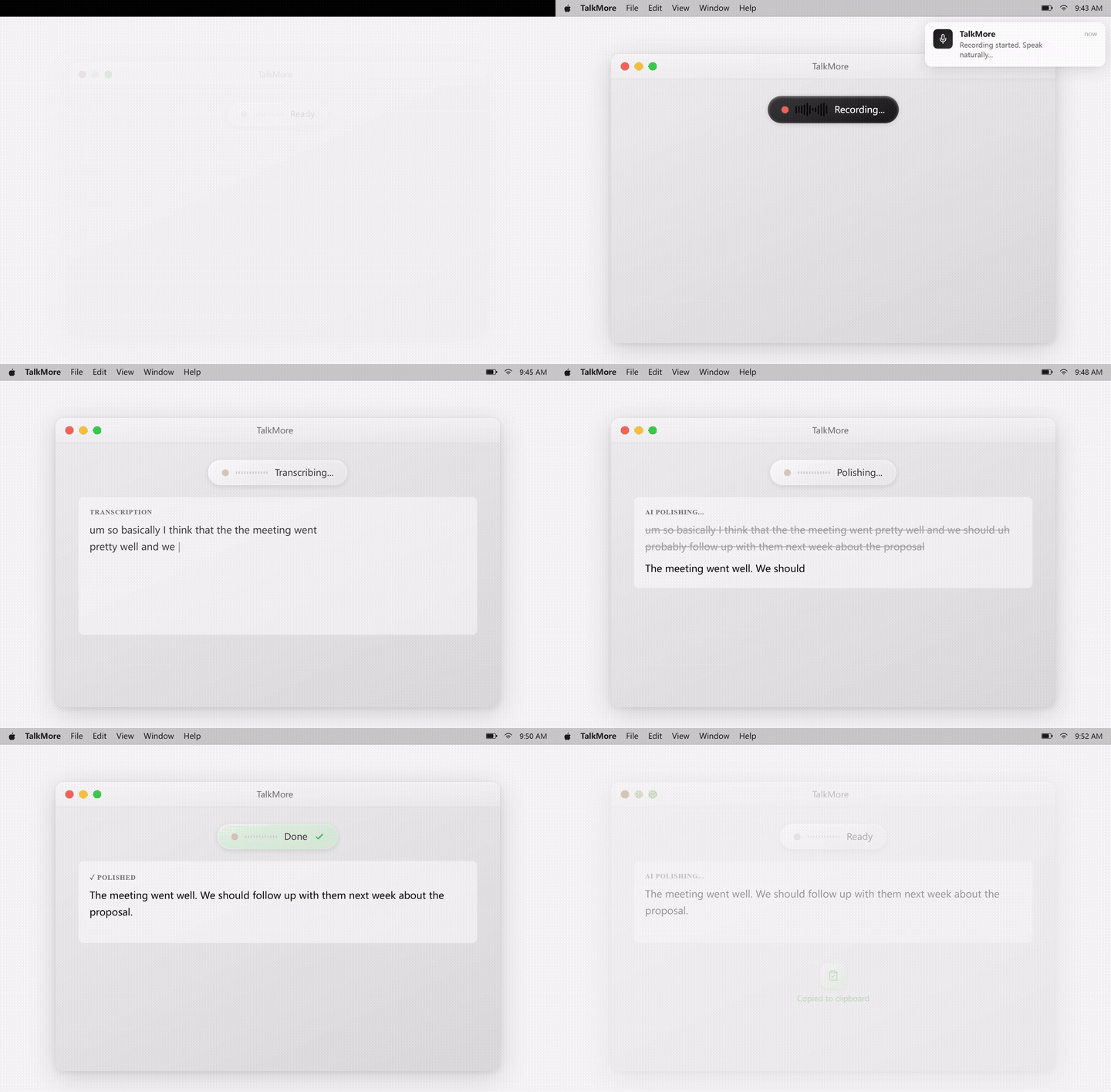
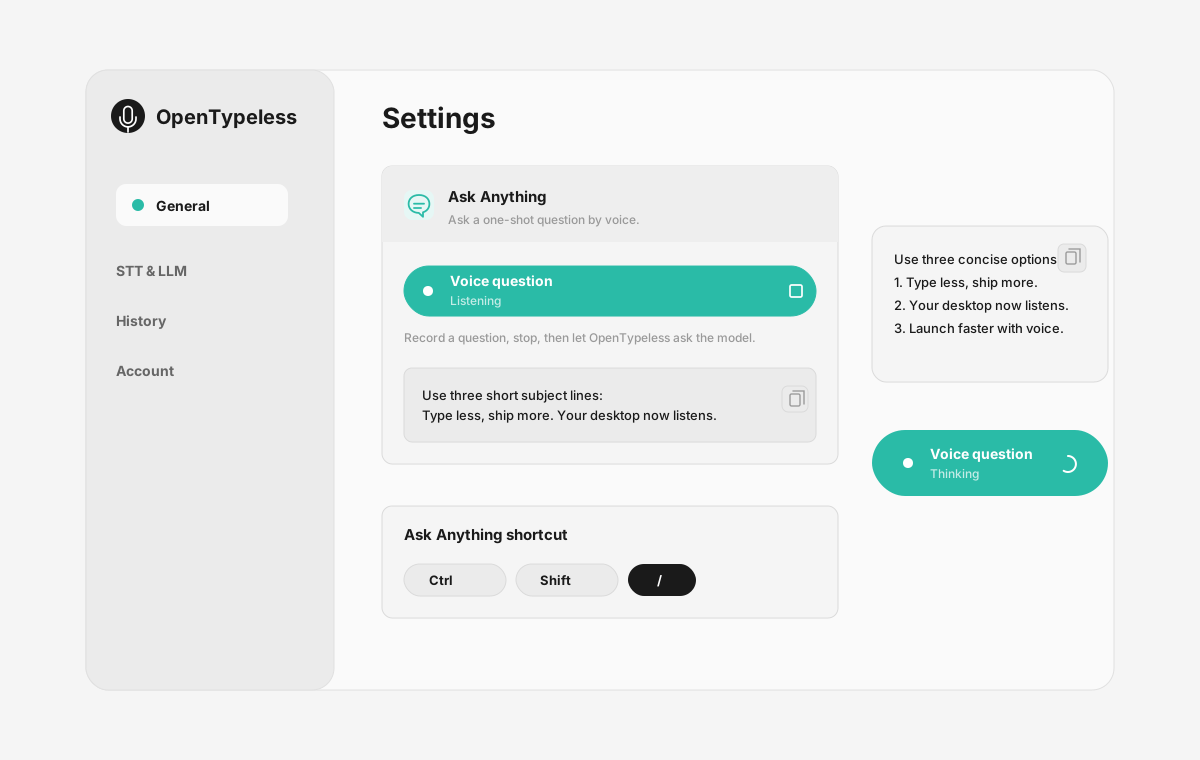
Product UI behind the workflow
A quick look at dictation, provider setup, history, and the Ask Anything voice flow.
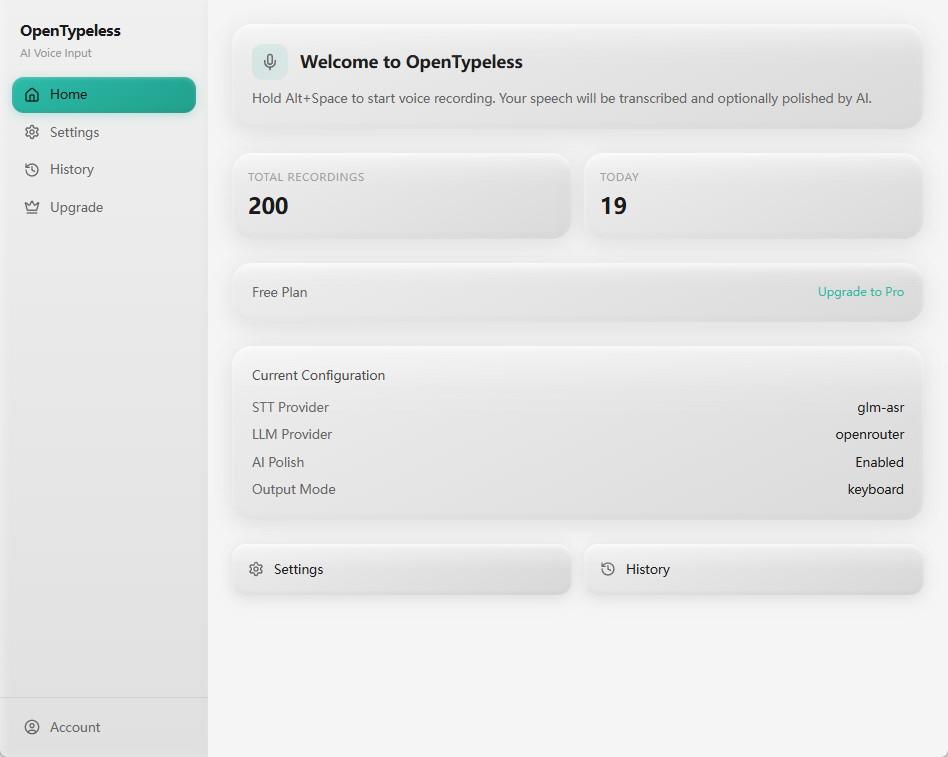
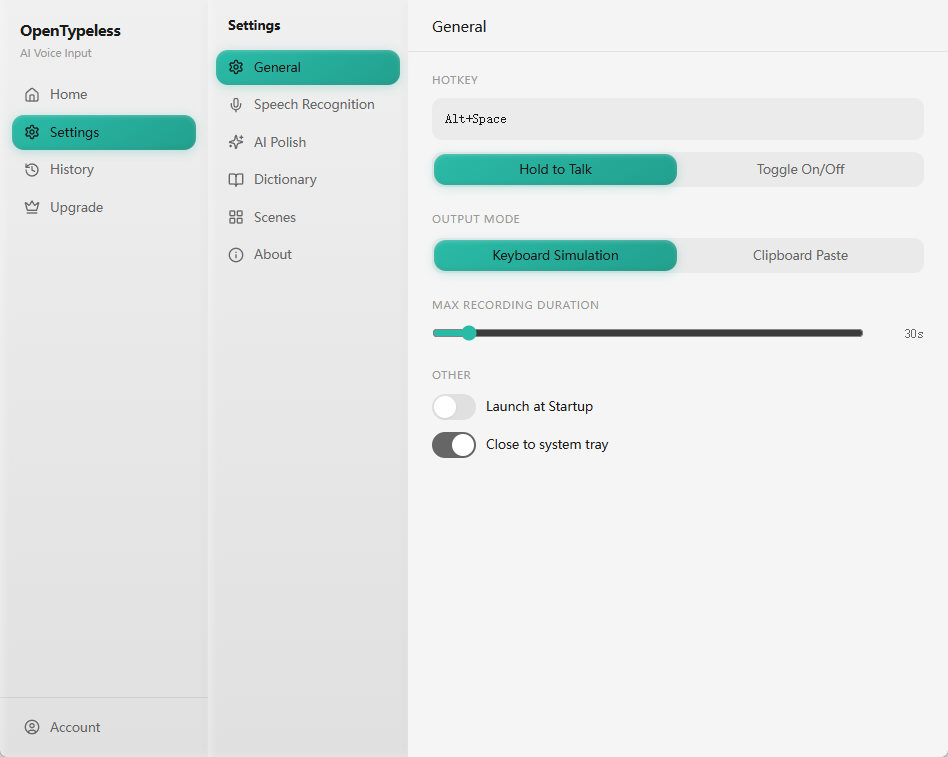
Typeless, SuperWhisper, and OpenTypeless at a glance
Match the choice to platform, source access, and provider flexibility.
| Decision point | Typeless | SuperWhisper | OpenTypeless |
|---|---|---|---|
| Primary fit | Official Typeless workflow | Mac-focused Whisper-style workflow | Open-source cross-platform workflow |
| Platform decision | Check official support | Mac-focused | Windows, macOS, Linux |
| Whisper paths | Product-managed path | Core product direction | Supported alongside other STT providers |
| Provider control | Product-managed path | Product-managed path | BYOK STT and LLM providers |
Test the open cross-platform workflow
Use OpenTypeless to learn whether provider choice and platform coverage matter in your daily writing.
Install OpenTypeless
Choose the build for Windows, macOS, or Linux.
Choose transcription
Use a Whisper-compatible path or another STT provider such as Deepgram.
Choose AI polishing
Pick the LLM provider that gives the best punctuation, grammar, and formatting for your work.
Compare output cleanup
Judge the workflow by how little editing remains after dictation.
FAQ
Short answers for the search questions this page targets.
Is OpenTypeless affiliated with Typeless or SuperWhisper?
No. OpenTypeless is an independent open-source project and is not affiliated with Typeless or SuperWhisper.
Which one is best for Mac?
SuperWhisper may fit Mac-only users who want a dedicated Mac product. OpenTypeless is better when you also need Windows, Linux, BYOK, or source access.
Which one is open source?
OpenTypeless is the open-source option in this comparison.
Can OpenTypeless use Whisper-compatible transcription?
Yes. OpenTypeless can work with Whisper-compatible local or hosted paths when configured through supported providers.
Which one is best for Linux?
OpenTypeless is the stronger fit for Linux because it is designed as a cross-platform desktop voice input workflow.
Related pages
Continue the same search journey with deeper guides and comparisons.
Try the desktop voice input workflow
Start with a real daily writing app, then tune providers, prompts, dictionary terms, and local mode as your workflow becomes clearer.